Reading a message on your phone, looking at a computer screen and talking to someone across a desk all involve different viewing distances. As we get older, moving comfortably between those distances can become more difficult, even when our everyday glasses are otherwise working well.
Occupational lenses, sometimes called office lenses or computer lenses, are designed for this kind of close-to-intermediate vision. They can be especially useful if you spend long periods at a desk, but they are not just for office workers.
What are occupational lenses?
Occupational lenses are prescription spectacle lenses designed to provide comfortable vision for reading, computer screens and other tasks at relatively close distances.
Unlike ordinary reading glasses, which are generally prescribed for one particular distance, occupational lenses allow you to see clearly across a range of near and intermediate distances.
They are particularly useful for people experiencing presbyopia, the normal age-related reduction in our ability to focus on close objects, usually becoming noticeable from our 40s onwards.
When might occupational lenses be useful?
Occupational lenses can make a difference in many situations:
- Computer work: Moving between a monitor, keyboard, paperwork and phone without constantly changing glasses.
- Multiple screens: Working between a laptop and a larger monitor at different distances.
- Office and indoor work: Looking between close-up tasks and colleagues, customers or equipment further away.
- Hobbies: Sewing, model-making, drawing, music, cooking and other activities where comfortable vision at different close distances matters.
Some people who wear everyday varifocals find themselves lifting their chin or adjusting their head position to see a computer screen clearly. Occupational lenses can provide a more generous viewing area at screen distance, potentially allowing a more comfortable working position.
How are occupational lenses different from reading glasses and varifocals?
Reading glasses are designed for close work at a particular distance. They may be ideal for reading a book but less useful when looking at a computer monitor further away.
Everyday varifocals provide distance, intermediate and reading vision in one pair. They are convenient for many daily activities, but the intermediate viewing area may be relatively narrow for someone spending several hours at a computer.
Occupational lenses concentrate more of their usable viewing area on near and intermediate distances, often providing wider, more comfortable vision for these particular tasks.
They are not automatically better than varifocals. If your existing glasses work well for your routine, there may be no need for a separate pair.
What can’t occupational lenses do?
The main limitation is that occupational lenses are not suitable for driving or general distance vision.
Their useful range depends on the particular design, and objects beyond that range will become blurred.
For many people, occupational glasses are therefore a second pair, used at work or for particular activities, alongside everyday distance glasses or varifocals.
They are also not a cure for every cause of eye strain. Dry eyes, unsuitable lighting, poor screen positioning and spending too long without breaks can all contribute to discomfort.
Essilor Varilux Immersia: a new generation of occupational lenses

Introduced in April 2026, Essilor Varilux Immersia is the latest generation of occupational lenses from Essilor, replacing the previous Varilux Digitime range.
Immersia has been developed around the way we now use our eyes throughout the day, frequently switching between phones, computer screens, paperwork and people around us.
What makes Immersia different?
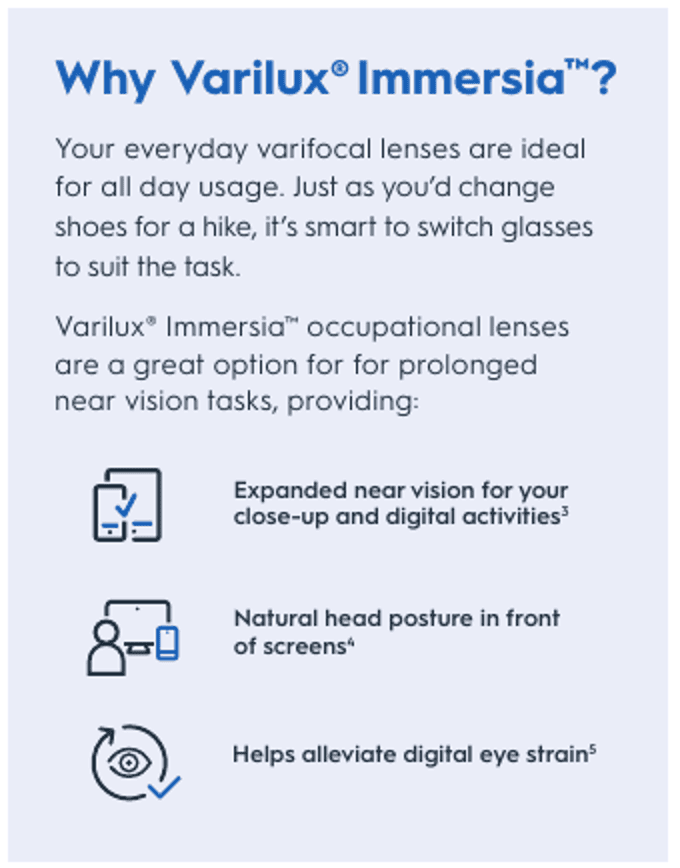
The important improvements are about what the wearer experiences, rather than the technology behind the lens.
A wider area of comfortable vision
Essilor’s own design comparisons indicate that Immersia provides a greater usable area of clear vision than the previous Digitime range.
This aims to make it easier to see more of your working environment clearly, without constantly having to find the right part of the lens.
A more natural head and neck position
One of the frustrations of using everyday varifocals for computer work is having to lift your chin to find a clear view of the screen.
Immersia is designed to make the appropriate viewing areas easier to access while maintaining a more natural head position. This may be particularly beneficial during prolonged computer work.
Easier movement between different viewing distances
Whether you are reading something on your phone, checking your monitor or speaking to a colleague, Immersia aims to make the transition between these distances more comfortable.
These improvements build on the advantages of occupational lenses generally. Other manufacturers also offer high-quality occupational designs, and the best option still depends on your prescription, working distances and individual preferences.
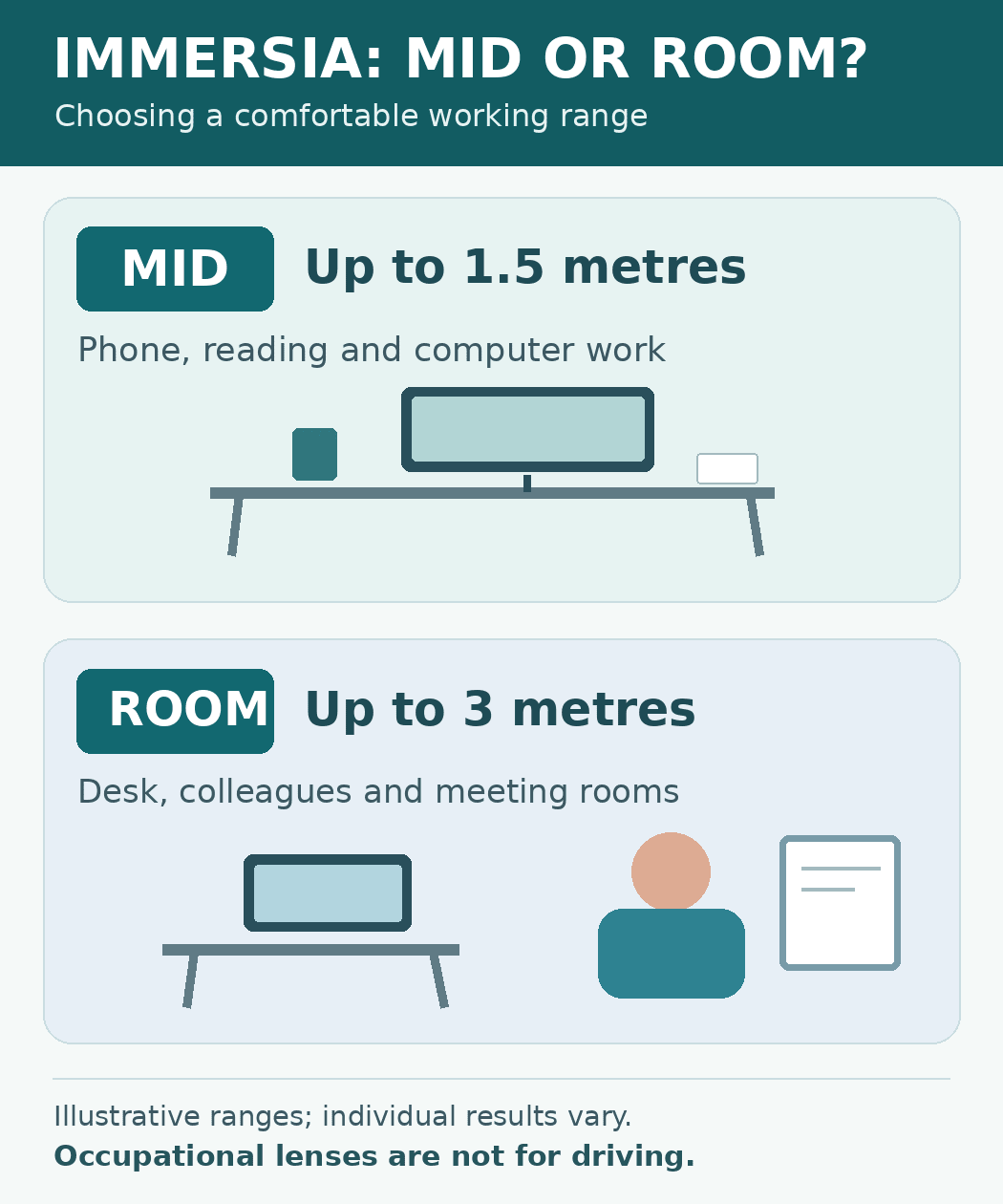
Varilux Immersia Mid — for closer desk-based work
Immersia Mid is designed for near and intermediate vision up to approximately 1.5 metres.
It may be particularly suitable for someone who spends much of the day at a desk, moving between paperwork, a phone, keyboard and computer screen.
The emphasis is on providing a generous area of clear vision around the immediate workstation.
Varilux Immersia Room — for a wider indoor working area
Immersia Room extends the intended working range to approximately 3 metres.
It may be preferable if you frequently look beyond your desk towards colleagues, customers, a meeting table or equipment elsewhere in the room.
The additional viewing range can be useful, although it does not provide the full distance vision needed for driving or general outdoor use.
The best choice isn’t automatically the design with the longest range. It depends on where you spend most of your time looking.
| Immersia design | Intended working range | Typically best for |
|---|---|---|
| Mid | Up to approximately 1.5 metres | Desk, laptop, monitor and paperwork |
| Room | Up to approximately 3 metres | Desk work plus colleagues and other tasks around the room |
Immersia and Natural Look for video calls
For people who spend time on Microsoft Teams, Zoom or other video calls, there’s another consideration beyond how clearly they can see their screen: how clearly other people can see them.
Even lenses with conventional anti-reflection coatings can produce noticeable coloured reflections from computer screens, desk lamps and overhead lighting.
These reflections can sometimes obscure your eyes when you’re speaking to someone through a camera.
Crizal Natural Look, Essilor’s newest premium anti-reflection coating, has been designed to make those reflections much less noticeable, helping the lenses appear clearer and more natural.
That can be particularly appealing during video calls, when facial expressions and eye contact are an important part of communicating.

Combining Varilux Immersia with Crizal Natural Look therefore brings together two complementary benefits:
- Immersia: Comfortable, clear vision across the working distances you use throughout the day.
- Natural Look: Reduced visible reflections, helping other people see your eyes and facial expressions more clearly through your glasses.
Natural Look does not eliminate every reflection — lighting and camera position still make a difference — but it offers a noticeably more discreet appearance than traditional anti-reflection finishes.
It also provides premium protection against scratches, smudges, dust and water, helping keep your lenses looking clear and making everyday cleaning easier.
Crizal Natural Look replaces Essilor’s previous Sapphire HR coating. You can read more in our guide to Crizal Natural Look and how it differs from Sapphire HR.
For someone spending several hours a day at a computer, particularly with regular video meetings, Immersia with Crizal Natural Look is a combination well worth considering.
Which occupational lens is right for you?
Choosing the right occupational lens starts with understanding how you use your eyes.
A few practical questions can make a significant difference:
- How far away is your main computer screen?
- Do you use more than one monitor?
- How much of your day involves reading paperwork or using your phone?
- Do you regularly need to see people or objects several metres away?
- Are your current glasses making you adopt an uncomfortable head position?
Someone who only needs clear vision for one close-up task might find ordinary single-vision glasses perfectly adequate. Someone who works at several distances may benefit considerably from an occupational lens.
Your prescription, chosen frame, measurements and fitting are also important.
Can occupational lenses help with screen-related eye strain?
They can help when visual discomfort is related to the prescription, working distance or viewing posture.
However, occupational lenses do not treat every cause of tired or sore eyes. Screen breaks, blinking, lighting and workstation setup still matter.
Our guide to digital eye strain explains these factors in more detail.
If you would like to compare different options, you can explore our spectacle lens guide.
Could different glasses make your working day more comfortable?
At Actons we take time to understand your usual reading, screen and indoor viewing distances before recommending a lens. If you are considering new glasses and can visit our Worcester practice, we can discuss whether occupational lenses such as Varilux Immersia would suit your needs. Sometimes a simpler lens is all that’s needed.